
Most people hear “website analytics” and instantly think of Google Analytics. It’s been the go-to for website analytics for years, but things are and have been changing. Between the messy UA to GA4 shift, stricter privacy regulations and performance concerns, many small business owners are starting to look for Google Analytics alternatives.
I spent the last year (yes year lol) testing out a few different analytics tools. There were ones that I loved, some that didn’t quite hit the mark and others that were “ok” but weren’t quite what I was looking for for myself and clients. There were actually 4 frontrunners in all of this, and I’d recommend all of them (further down) but in the end I decided to go with Independent Analytics and I’ll start offering and rolling this out to my care plan clients in the new year.
Since I work primarily with WordPress websites, the tools I tested all work well with WordPress, and one of them is even built specifically for it.
In this post, I’ll be going through why people are getting frustrated with Google Analytics 4 (GA4), what to look for in alternatives, what alternatives I recommend and why I ended up going with Independent Analytics. Let’s go!
The Three Big Reasons People Are Switching from GA4
There are plenty of reasons people aren’t happy with GA4, but the following three are the ones I see mentioned most often online and in conversations with my clients.
1. GA4 is overwhelming for small business owners
If I had a dollar for every time a client said they found GA4 confusing/overwhelming/complicated/[insert negative word here] well I wouldn’t be rich but I could probably buy myself a spicy marg or two.
GA4’s interface is far from user friendly. Reports are buried, and it takes way too many clicks to find the information you actually need. Most people just want clear, simple data they can check quickly and then actually use to make improvements in their business. GA4 is powerful, but it’s also way too complicated for everyday users.
2. Privacy rules are getting stricter
GDPR, CCPA and other global privacy laws have tightened, and businesses are feeling the pressure to stay compliant. GA4 is definitely an improvement on Universal Analytics, but by today’s privacy standards it still falls short.
GA4 relies on cookies, which means that if a visitor declines tracking or their browser blocks it by default, GA4 won’t record the data. This leaves you with gaps in your reports and a less accurate picture of what’s actually happening on your website. Another thing to make things even more confusing for small business owners.
3. GA4 can slow down your website
This one usually only gets noticed when someone is trying to speed up their site. Clients rarely mention it directly, but when I start doing a bit of digging I almost always see GA4 scripts sitting there. GA4 adds extra scripts to your pages and of course more scripts on the page adds to the loading times of those pages (especially on mobile).
It’s also one of the last things people would want to remove because then how do you see what visitors are doing on your website?
These three issues are a big part of why so many people started looking elsewhere for something simpler.

What to Look For in a GA4 Alternative
Most small business owners don’t need complicated funnels or 50 custom reports. They need tools that are simple, clear and actually easy to use. Some things to look for when looking at alternatives to GA4:
A clean, simple dashboard
As we’ve already covered, GA4 is overly complicated for most people. So it makes sense to look for something that’s actually easy to use. A simple dashboard that shows your key information at a glance like visits, top pages and traffic sources.
Privacy friendly
Ideally you want something that doesn’t rely on cookie banners, doesn’t collect personal data and won’t leave you with missing traffic numbers when visitors opt out of tracking. A privacy friendly setup means you can stay compliant without adding more admin to your plate.
Lightweight tracking
Look for an analytics tool that won’t weigh down your site. Ideally, it should use minimal scripts so it doesn’t affect your mobile speed or Core Web Vitals. The lighter the tracking, the faster and smoother your site will feel for visitors.
Affordable pricing
Most of the alternatives I looked into do come with a cost. Some offer a free version with limited features, while others are monthly subscriptions or if you’re lucky you can get a lifetime deal (spoiler alert: I was lucky and got a lifetime deal – more on that below).
These are the 4 things I suggest paying attention to. Depending on your needs, you may have other requirements but for most small business owners this is a great place to start.
The Tools I Tested
I tested around 6-7 different analytics tools, but only a handful actually stood out and felt worth recommending. The ones I genuinely liked and want to highlight are Plausible, Fathom, SiteBehaviour and Independent Analytics.
Plausible
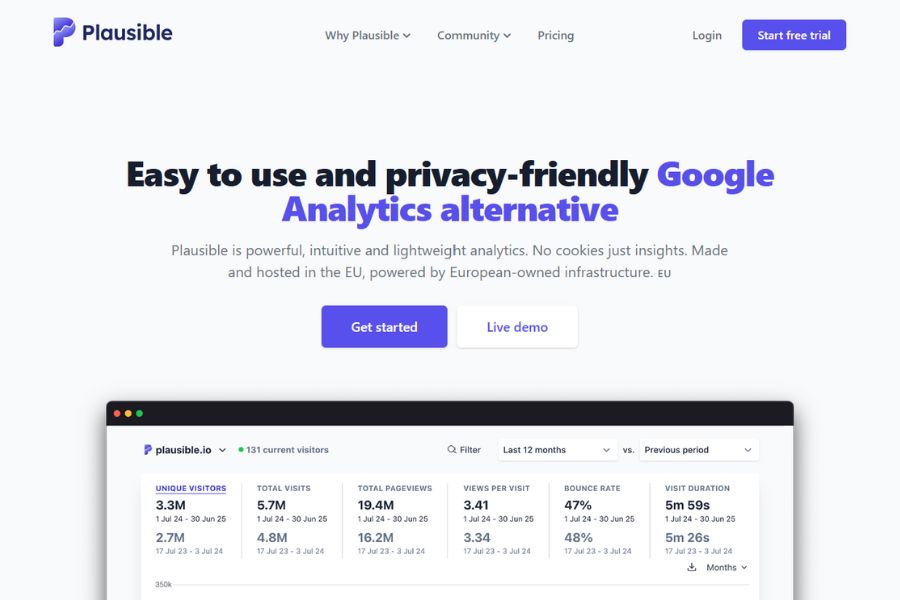
Plausible is one of the most popular GA4 alternatives for a reason. The dashboard is clean and simple, showing your key metrics without any clutter. It’s fully privacy friendly, doesn’t use cookies and is compliant with global privacy laws. The tracking script is tiny, so it won’t slow down your website or affect your Core Web Vitals.
Pricing is subscription-based and starts at $9USD/month
Fathom
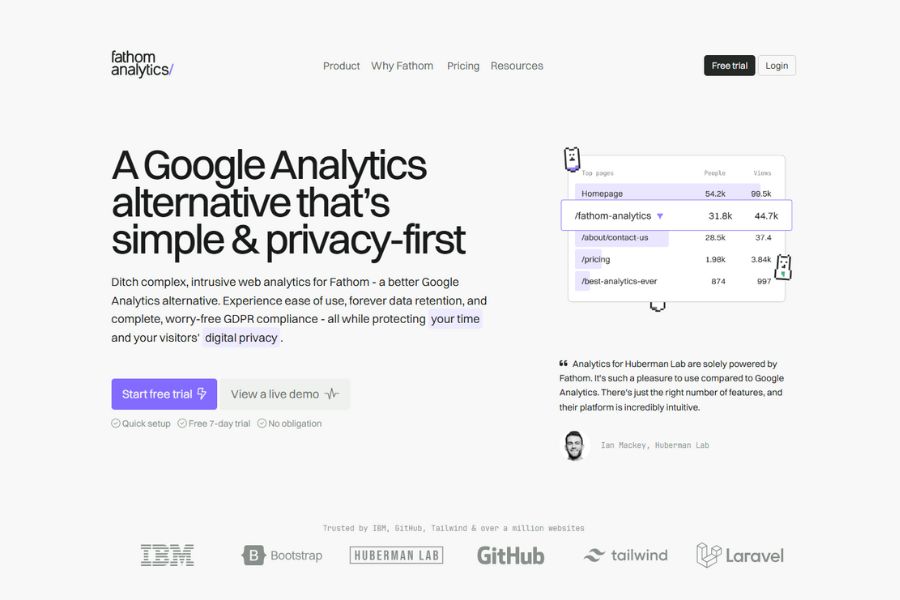
Fathom focuses on simplicity and privacy. The dashboard is easy to understand at a glance, and it gives you the essentials without making you dig through layers of reports. It’s completely privacy friendly and doesn’t require a cookie banner. The tracking code is very lightweight, which helps keep your site fast.
Pricing is subscription-based and starts at $15USD/month
SiteBehaviour
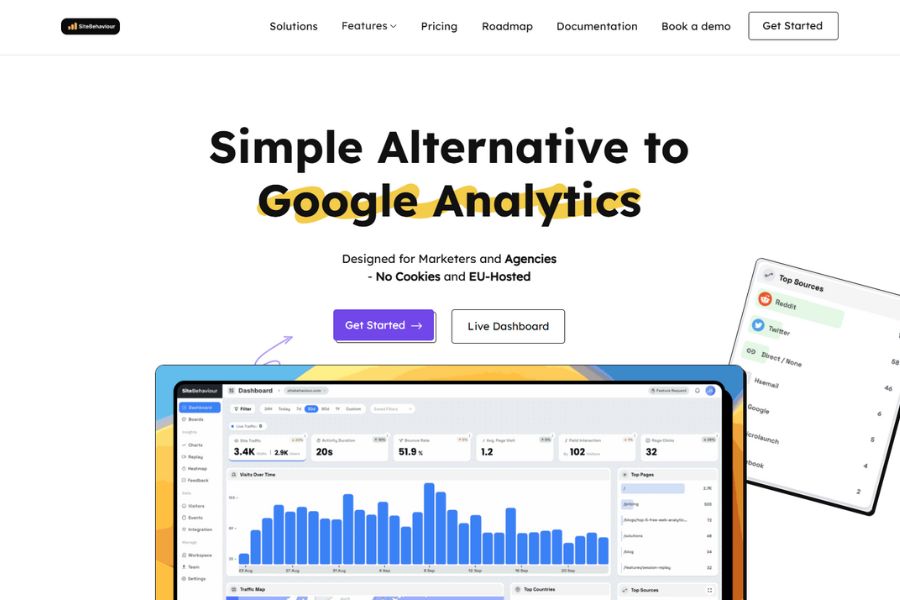
SiteBehaviour has a very clear dashboard and is beginner friendly, which ticks the first box straight away. It’s also privacy focused, using anonymised tracking so you don’t need a cookie banner. The script is lightweight enough that it won’t slow down your mobile performance or Core Web Vitals. I was lucky enough to get a lifetime deal for this but they now only have monthly pricing.
Pricing is subscription-based and starts at $19USD/month
Independent Analytics
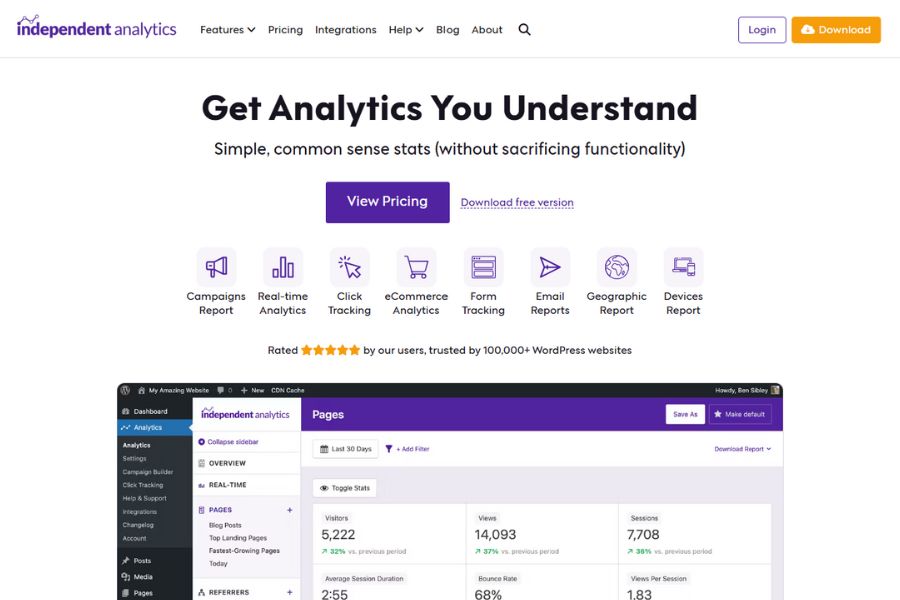
Independent Analytics is the only WordPress specific option on this list, which means your data stays on your own server. The dashboard is simple and built right into your WordPress admin area, so you can see your stats without leaving your site. It’s privacy friendly, doesn’t rely on cookies and doesn’t require a banner. The tracking is lightweight and won’t noticeably slow your site down.
Pricing is very affordable… as in they have a free version (yay).
The free version of course has limitations and as of December 2025, they’re still offering lifetime deals starting at $147 for a single site, or you can choose the yearly plan at $49.
I actually don’t think you can go wrong with any of these, but in the end I went with Independent Analytics. Why? Well read on…
Why I Chose Independent Analytics
All 4 alternatives mentioned above do the job well, so how do you choose? For me, two things made the decision easy: the developer and scoring a lifetime deal. I’ll go over each below.
1. It’s genuinely simple
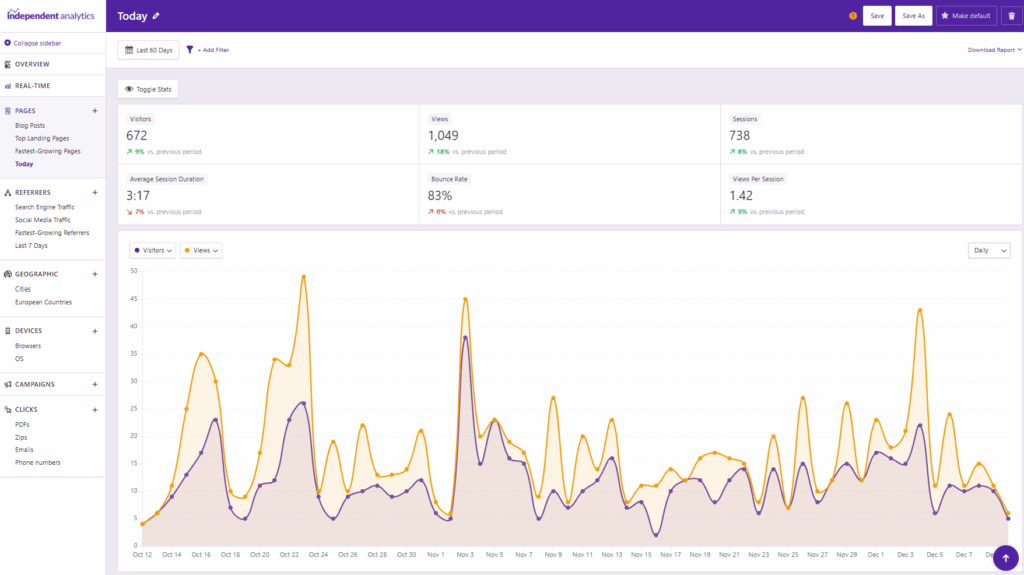
I realise I haven’t even mentioned installation yet, and guess what installation is easy-peasy. Because it’s built for WordPress, you just install the plugin and it configures itself. No setup, no code and no extra steps.
And once it’s installed, the simplicity continues. The dashboard is exactly what most small business owners want: visits, top pages, referrers, devices and locations. Everything is clean, easy to read and built right into WordPress, so there’s no separate platform to learn.
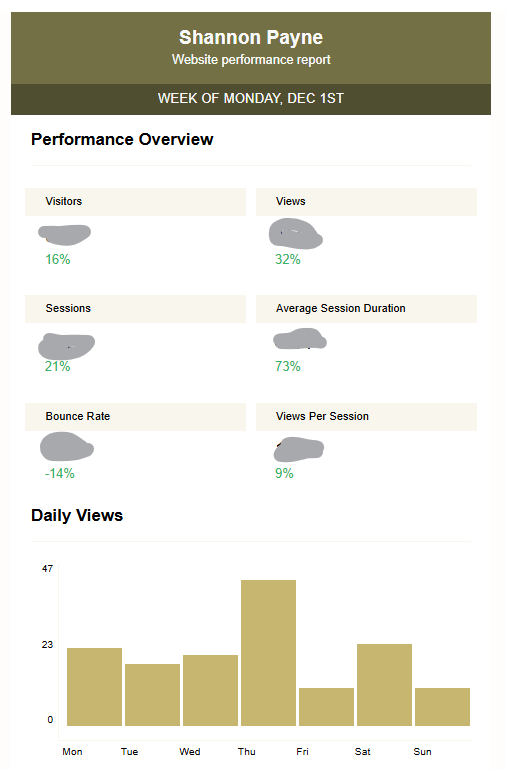
PLUS I can set automated reports to be emailed to my clients daily, weekly or monthly. For care plans, that is a massive win.
2. It’s privacy friendly
Strict privacy laws haven’t hit Australia (yet), but they’re common overseas and it’s a matter of time before it hits our shores. Independent Analayitcs makes this easy because all data stays on your own server, it stores no personal information and it uses cookieless tracking.
And because it isn’t storing personal data, it can actually track everyone who visits your site. You don’t lose chunks of traffic the way you do when people reject cookies (another win!).
3. It’s not slowing down your website
The tracking script is tiny and doesn’t slow the site down. For anyone concerned about website performance this isn’t something you need to worry about.
4. The developer
THIS is so important, it’s actually a big part of most of my decisions (and $$$ investments) these days. I’ve corresponded with the developer, Ben Sibley, a few times and every time he has been quick, helpful and exceeded my expectations for customer support. Ben gets a 11/10.
*Just want to add here, I haven’t had any first-hand experience with any of the other alternatives developers or support teams and I also haven’t heard anything negative.
5. Lifetime deal
There’s nothing I love more than a lifetime deal (especially if it’s one I’ll use lol). But I finally took the plunge and got an unlimited sites lifetime licence, which means I’m covered forever and so are all my client sites. One payment and that’s it.
So now that I’ve gushed over Independet Analytics. If you’re wondering whether to make the switch or stick with GA4, this next bit is for you.
Lifetime Deal still available here :)
Independent Analytics vs GA4: Quick Comparison
| Feature | Independent Analytics | GA4 |
| Ease of use | Very easy | Complex and overwhelming |
| Privacy | Cookieless, data stays on your server | Cookie-based, requires consent and loses data if rejected |
| Speed | Lightweight, no performance hit | Adds scripts that can slow sites |
| Setup | Install plugin in WordPress, done in minutes | Requires Google account, property setup and configuration |
| Dashboard | Simple, essential stats | Extensive and complex |
| eCommerce tracking | Automatic in Pro version | Often requires a developer or extra plugin |
| Cost | Free version or lifetime deal | Free |
| Best for | Small business WordPress sites | Ads, funnels and large sites needing advanced tracking |
When GA4 Still Makes Sense
Stick with GA4 if:
- You run Google Ads
- You need advanced event tracking
- You manage a high-traffic or complex website
- You want a tool that’s completely free
- You have the time (or a developer) to learn GA4 properly
- You’re not using WordPress
GA4 can be incredibly powerful, but only if you actually need and use its advanced features. If you’re running ads, building funnels or tracking detailed user behaviour, GA4 is still the better fit.
Just keep in mind that GA4 relies on cookies and requires consent in many regions, so if privacy is a priority for your business, that’s something to factor into your decision.
When Independent Analytics Is the Better Choice
Choose Independent Analytics if:
- You want clear data without overwhelm
- You value privacy and want to avoid cookie banners
- You want faster website performance
- You’re on WordPress
- You want essential metrics only
- You want a tool your clients will actually use
Independent Analytics is ideal for small business owners who want straightforward data, faster websites and a privacy friendly setup without the learning curve of Google Analytics 4.
So to sum it up…
At the end of the day, there’s no one-size-fits-all answer. GA4 is still incredibly powerful and makes sense for businesses that rely on ads, funnels or detailed event tracking. But for most small business owners, the reality is that GA4 feels complicated, overwhelming and harder to maintain than it needs to be.
Independent Analytics offers a simpler, faster and more privacy friendly alternative that fits perfectly into a WordPress workflow. It gives you the information you actually care about, without the extra layers of setup or stress. It’s lightweight, easy to understand and for anyone who just wants clear insights on their website it makes sense.
After a year of testing tools, it was the combination of simplicity, privacy, speed, responsive developer support and that *chefs kiss* lifetime deal that won me over.
If you’re feeling overwhelmed by GA4 or you simply want analytics that are easier to manage, Independent Analytics is absolutely worth trying. And if you want help making the switch or need some guidance on choosing the right setup for your site, feel free to reach out — I’m always happy to help.